See what powers any website, right from Chrome
Discover a website’s tech stack from your toolbar. Open the full report for Lighthouse scores, meta tag previews, and sitemap insights. No account required.
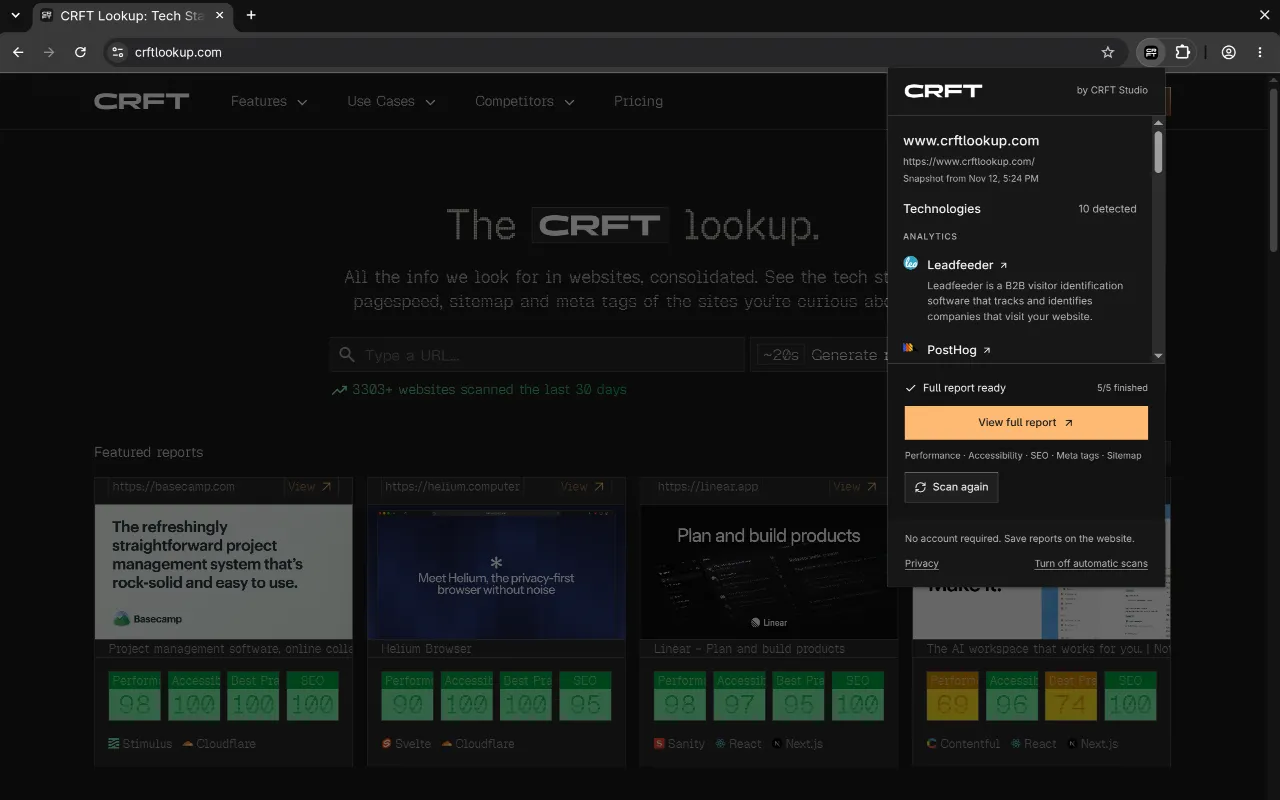
Discover a website’s tech stack from your toolbar. Open the full report for Lighthouse scores, meta tag previews, and sitemap insights. No account required.
Visit a public website and open CRFT Lookup from your Chrome toolbar. On first use, choose Enable and scan to allow scanning. After that, opening the extension starts a scan or reuses a recent report. Detected technologies appear in the popup, and you can open the full report for Lighthouse scores, meta tag previews, and sitemap information.
Yes. The Chrome extension is free to use, with no account required to scan websites and view reports. For additional features and higher limits on the Lookup website, see our pricing page.
The extension uses the same technology detection service as the CRFT Lookup website. It checks publicly available website signals to identify frameworks, CMS platforms, analytics tools, and other technologies. Hidden services, custom implementations, and blocked requests can limit results, so treat detections as a starting point rather than a complete inventory.
Yes. Open the full report from the extension and copy its unique URL to share it with a teammate or client. You can also sign in on the Lookup website to save reports to your account. Anyone with a report link can view its public scan results without signing in, so avoid scanning sensitive URLs.
No. It only starts or reuses a scan when you open the extension after enabling it, not as you browse. It sends the active page’s public URL to Lookup with query strings and fragments removed. It does not read your browsing history, cookies, passwords, form entries, or signed-in page content. URL paths are preserved, so do not scan confidential or sensitive URLs.